Every opera, every symphony, every recital, with its programme, its venue and its performers. Season after season, Opus shows you how much of the repertoire you have already heard live. On iPhone and iPad.
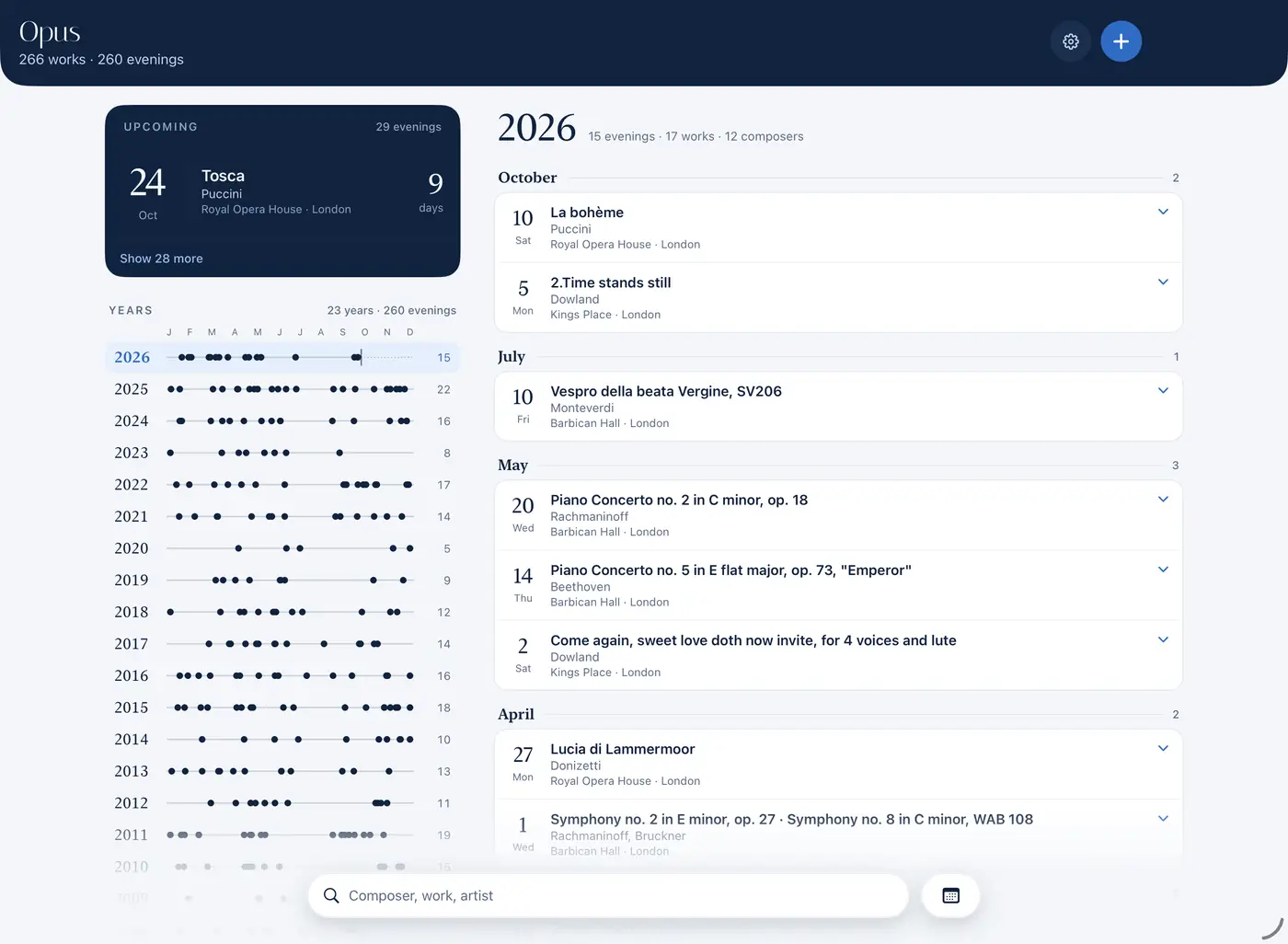
That same night or the next day, note what you heard. Opus already knows the works: you only have to pick them.
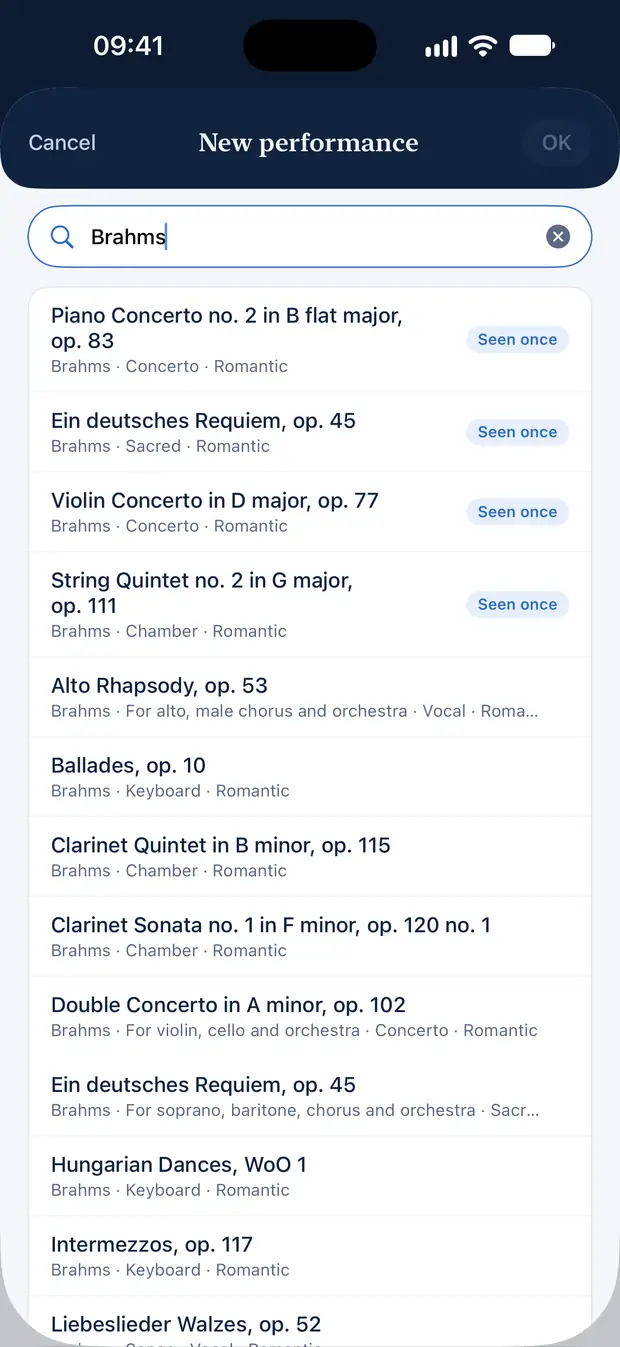
Type “Carmen” or “Brahms”: the work comes from a built-in catalogue of nearly 250 composers, from Monteverdi to Pärt. Add the venue, the conductor, the orchestra and the soloists.
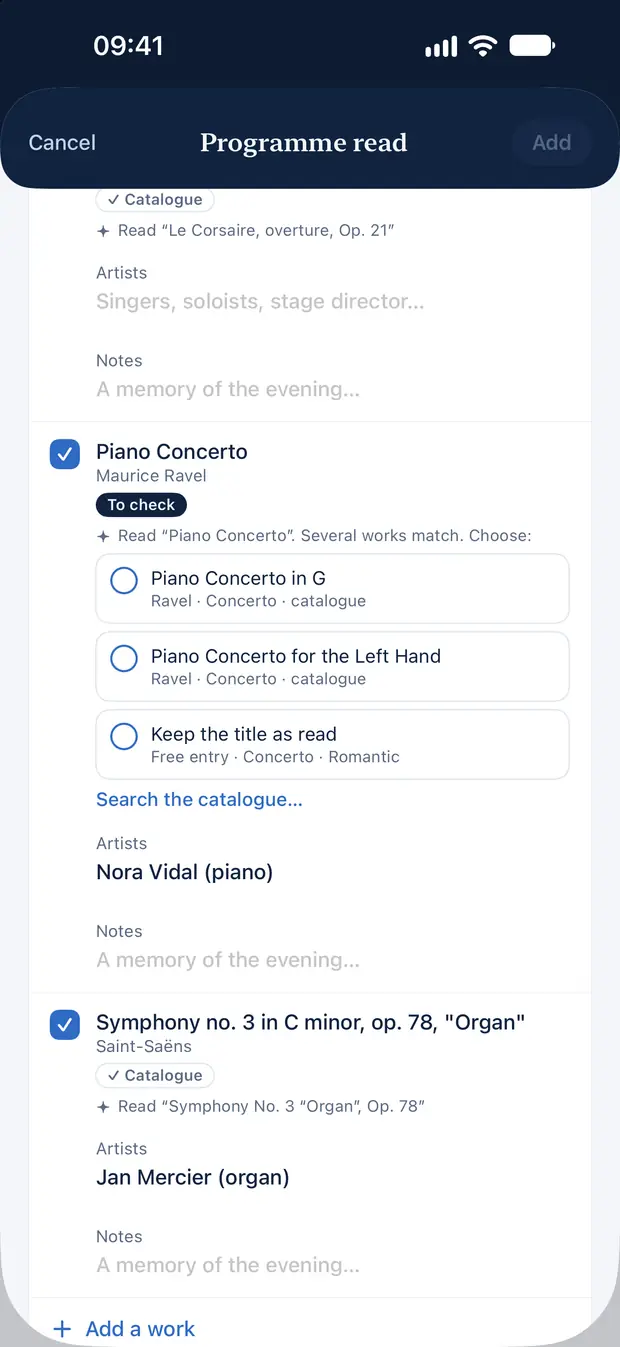
Opus reads the pages of the printed programme and prepares the evening: works, composers, performers. You check, you confirm. The photos are never kept.
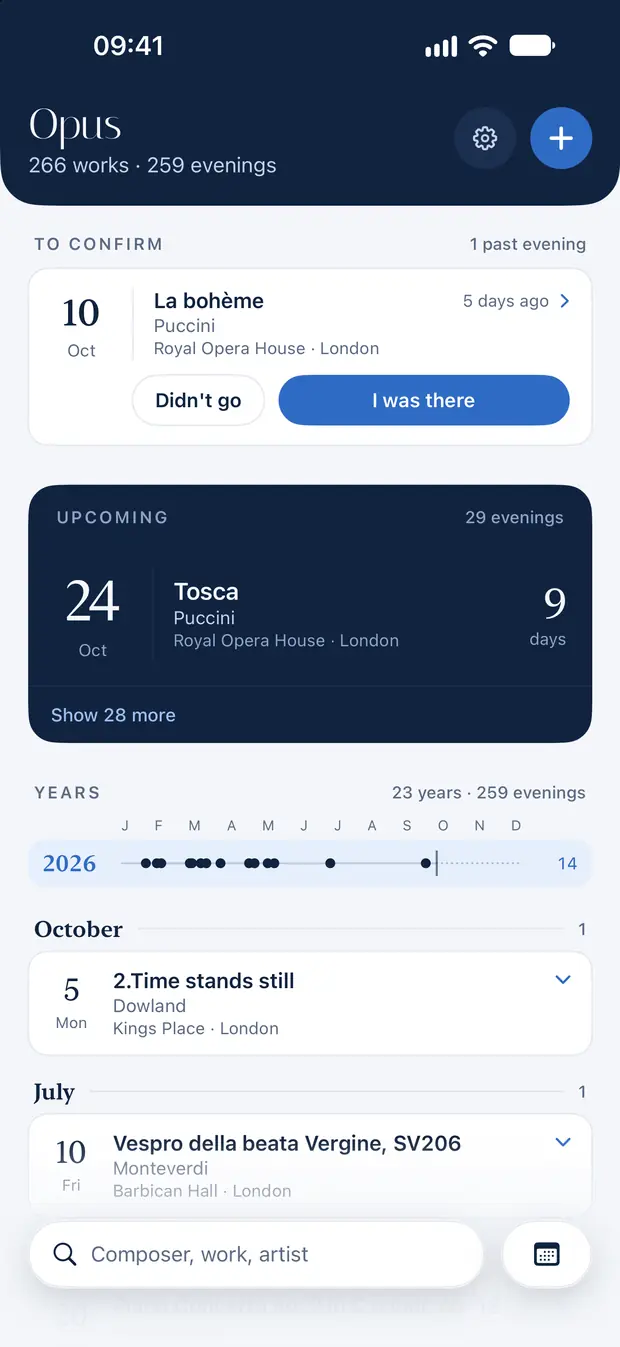
Got your tickets? Log the evening in advance: it waits in the calendar, with a countdown. The day after, confirm it with a single gesture.
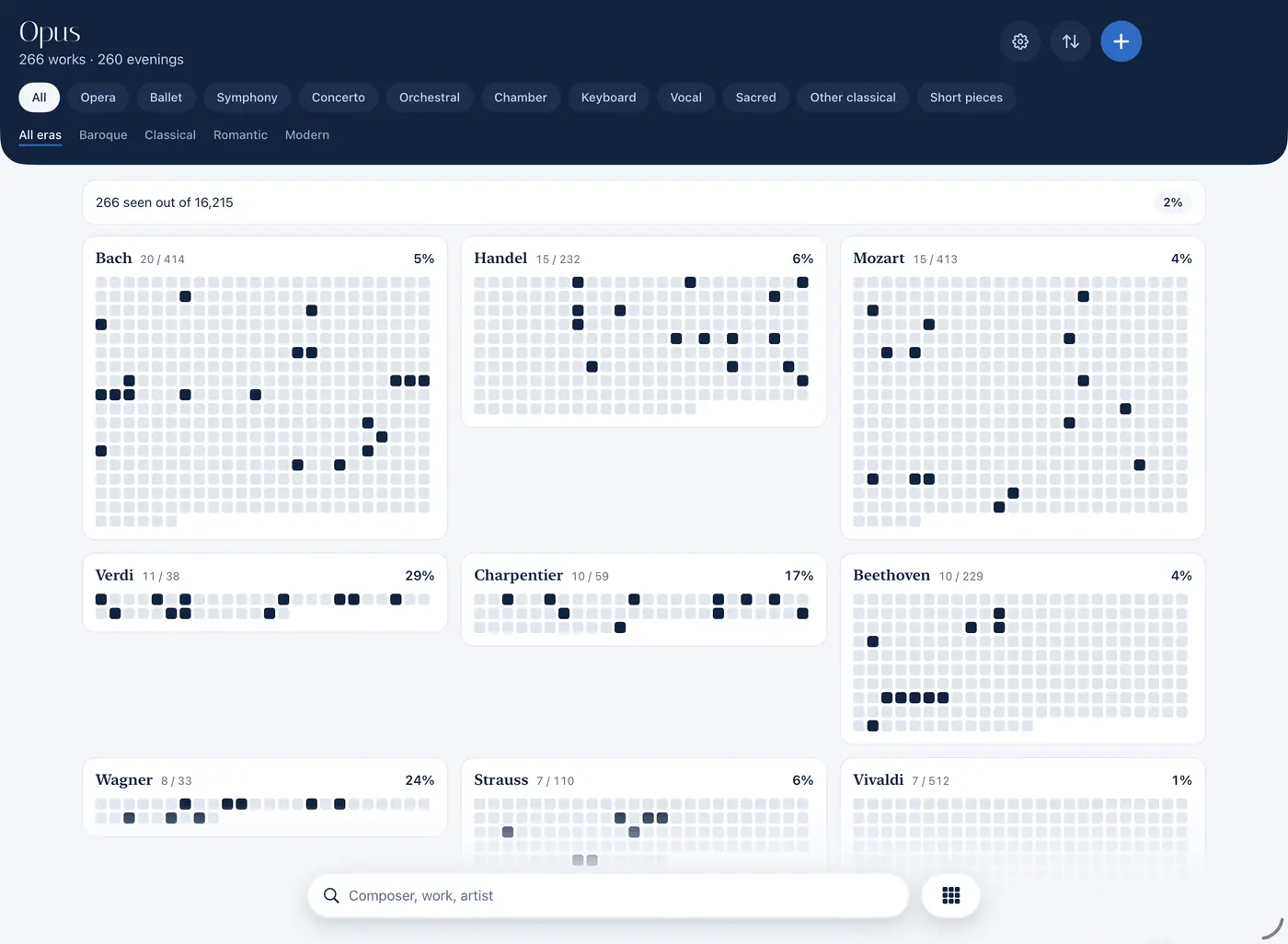
For each composer, Opus counts the works you have seen and those still waiting for you. List, gauges, mosaic, map or matrix: five ways to look at your journey.
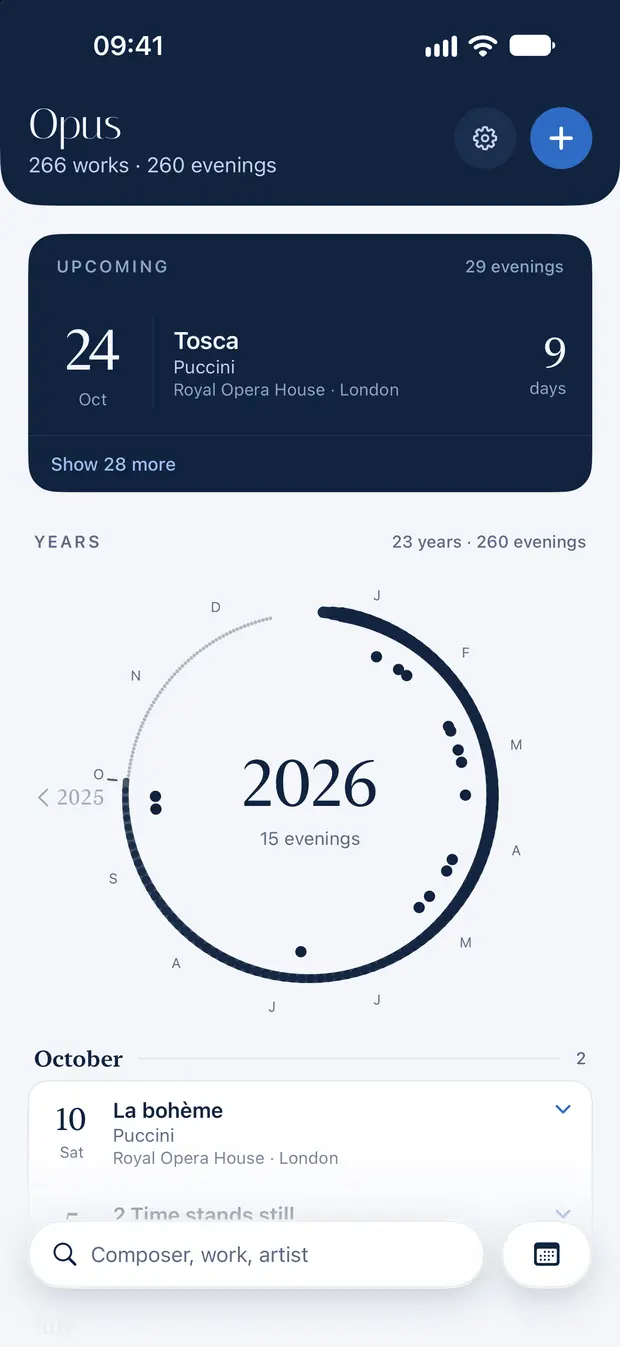
One line per year, one dot per evening. Or, if you prefer, a brush-drawn circle for each season. Tap a year to unfold it.
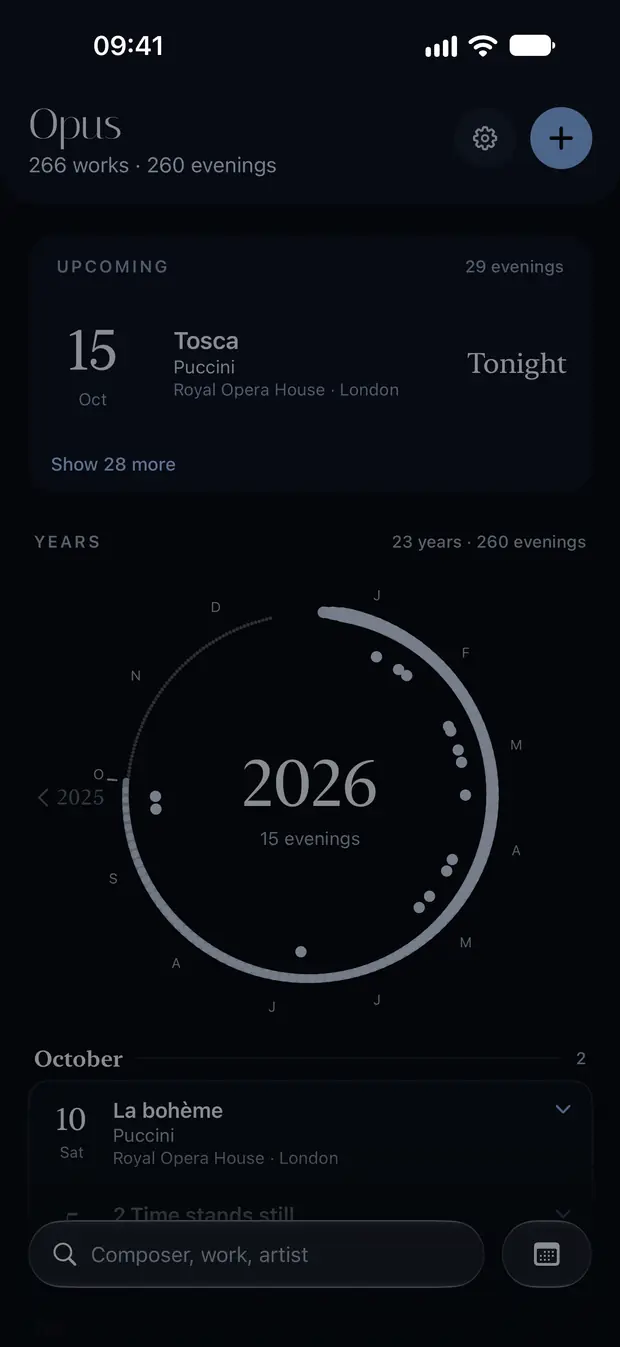
Show mode dims the screen so you never disturb your neighbours. On concert evenings, it switches on by itself from 5 pm.
Search for a conductor, a soloist or an orchestra: every evening you heard them.
A work on Spotify, Apple Music or Deezer, with a single tap.
The photographed programme next to the form, to check page by page.
Your history from a spreadsheet (CSV), and your whole journal exported at any time.
Your evenings on iPhone and iPad, through your own iCloud.
English, French, German and Italian, to choose in the app.
Opus is free to download and free to use, on iPhone and iPad. No in-app purchase, no paid version.
Your evenings stay in your iCloud: no account to create, no server of ours, no tracking.
Download OpusA question, an idea? Write to contact@sangosoftwares.eu or visit the Support page. Privacy: Privacy Policy.